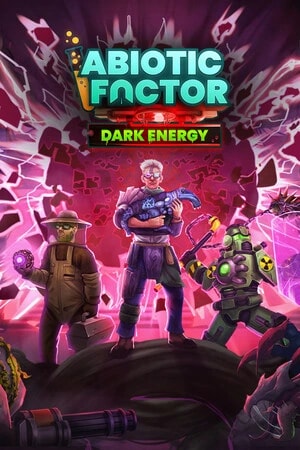
Configure Abiotic Factor SandboxSettings.ini and Official Mods
Edit the world's INI, header included, and enable a mod.io mod only after you have copied the save folder.
World rules live in SandboxSettings.ini, inside the world folder, and the file has to start with [SandboxSettings]. Official mods, since Community Update 5, are launch arguments -Mods and -ModioToken, not keys in that INI.
Install, app 2857200, is the setup guide. This page does not rebuild RunServer.
The right file, server stopped
Documented path, from the install directory:
AbioticFactor/Saved/SaveGames/Server/Worlds/<world>/SandboxSettings.ini
<world> is the -WorldSaveName value. The launch-parameter page documents Cascade as the default. -SandboxIniPath can point somewhere else, relative to the Saved folder. The dedicated-server wiki's example is Config/WindowsServer/Server1Sandbox.ini.
quit in the dedicated console saves and stops. Copy the whole world folder, including PlayerData and the save files, before you edit. If there is no INI, the wiki says to create one. A restart may be required. The dedicated console does not change these settings. The commands that page lists in full are showtime, showdatetime, hidedatetime and quit.
A few keys from the official table, not the whole list:
| Key | Documented default | Published limit |
|---|---|---|
| GameDifficulty | 1 | 1 normal, 2 hard, 3 apocalyptic |
| HardcoreMode | False | True forces apocalyptic difficulty and one life |
| LootRespawnEnabled | False | True or False. The wiki warns about overlapping props. |
| DayNightCycleState | 0 | 0 normal, 1 always day, 2 always night |
| DayNightCycleSpeedMultiplier | 1.0 | 0.1 to 3 |
| EnemySpawnRate | 1.0 | 0.5 to 3 |
| DamageToAlliesMultiplier | 0.5 | 0 to 3. 0 removes player-versus-player damage. |
| DeathPenalties | 1 | 0 through 5, from keep everything to destroy everything |
The official wiki misspells one heading (ApocalypticAbilties) while the default block writes ApocalypticAbilities. Use the key from the default block. Every other key, ranges included, is on the Sandbox page. A value outside the published range is not close enough.
Change one group, restart, and check with a player who is not an admin. If nothing moves, you edited a different world than -WorldSaveName, or an INI with no header.
Official mods, after the copy
The 1.5.0 patch notes (Community Update 5) add official mod.io support. Disabling a mod removes its content. They write that stability is not guaranteed, often as items disappearing. An official mod has a version number: after a game patch it stays disabled until the author updates it. Unofficial mods are described as broadly broken by that update, and the studio does not support them.
On the dedicated server, the launch-parameter page documents:
-Mods=6472275;6472552;6456360is mod.io IDs separated by semicolons. That example is the one on the page.-ModioToken=is a token from the mod.io account page. Without it, the server re-downloads mods on every start. Do not share it.- If the token is set and a listed mod has dependencies you did not name, those download too. Without a token, you have to list a set that actually loads.
- Default folder:
AbioticFactor\Saved\mod.io.-ModInstallTimeoutis 900 seconds unless you change it. -OverrideModWarningsskips warnings that would stop startup. The page keeps that for people who know why.-SideloadModsdoes not download. It mounts mods already on disk, aimed at hosts, with limited support. The default folder isAbioticFactor\Mods.-Modsis still required to say which ones mount.
Enable a mod on a copy of the world folder. Join, check one item from the mod, quit, start again. If the server will not boot, remove -Mods and restore the copy. Do not fix it by deleting random files under Saved.
Player cap
-MaxServerPlayers accepts 1 to 24 on that parameter page. Above 6, the same text says it is not recommended and that a warning is shown before joining. It does not change SandboxSettings.ini.
Offers: Abiotic Factor comparison.
Edit the Abiotic Factor sandbox without hunting for the world
Compare hosts that show Worlds, SandboxSettings.ini and the launch line.
Questions
The INI is ignored.
[SandboxSettings], in the world folder that is actually loaded. Another -WorldSaveName or a -SandboxIniPath points somewhere else.Can I change loot from the console?
Does removing a mod restore the save?
Sources: Sandbox Settings, official wiki, dedicated server launch parameters, Community Update 5, official notes.
Ready to launch your Abiotic Factor server?
Here are the best Abiotic Factor hosting deals right now, promo codes included. Still unsure? Our quiz finds the ideal host for you in under 2 minutes.
MyBox 4
Minestrator
Specifications
Compatible games
Features
- ✓Anti-DDoS protection
- ✓SmartBackup automatic backups
- ✓Web panel
- ✓French support 7j/7
Abiotic Factor — 3 Go
WinterNode
Specifications
Compatible games
Features
- ✓3 Go de RAM au minimum
- ✓CPU sans limite fixe, sous politique d'usage raisonnable
- ✓Stockage NVMe sans limite fixe, extension sur demande
- ✓Sauvegardes automatiques toutes les 12 heures
- +2 more features
6 Slots
NitroServ
Specifications
Compatible games
Features
- ✓Anti-DDoS mitigation
- ✓Automatic backups (3-day + 30-day retention)
- ✓NVMe SSD storage
- ✓France datacenter