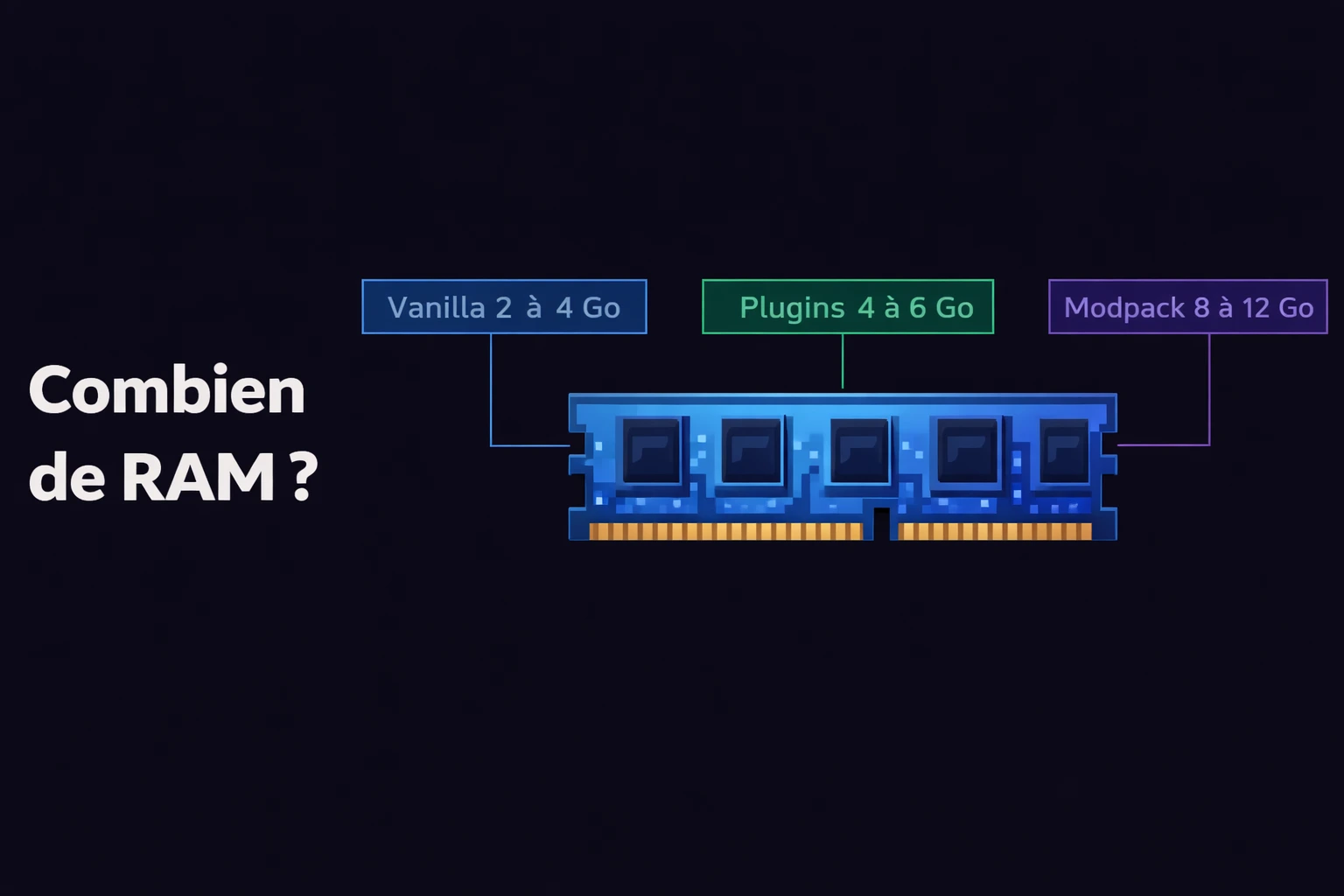
How many ram for a server
How much RAM is needed for a minecraft server?
RAM for a Minecraft server: what is the core idea?
RAM (memory) is what allows your Minecraft server to keep the world, connected players, entities, and active plugins or mods loaded. The more things your server handles at once, the more RAM it uses.
If you run out of RAM, you will feel it fast: lag, TPS drops, slow chunk loading, or even full crashes. Correct RAM sizing is the foundation of a smooth server.
Why RAM matters so much for Minecraft
Minecraft is memory-hungry by design. Every loaded chunk, spawned mob, and active redstone component uses RAM. In multiplayer, that usage scales with how many players explore at the same time.
A vanilla server with 5 players has very different needs from a modded server with 30 players and 200 mods. Required RAM depends on three main factors: player count, server type (vanilla, Paper, Forge, Fabric, NeoForge...), and installed mods/plugins.
To pick the right server "type", see Paper vs Spigot for plugins and Forge plus Fabric for mods.
RAM is not raw performance by itself
How much RAM by server type
Here is a clear summary for the most common setups. These values are recommended minimums for smooth gameplay.
| Setup | Players | Recommended RAM |
|---|---|---|
| Vanilla / Paper without plugins | 1-5 | 2 Go |
| Vanilla / Paper without plugins | 5-15 | 3-4 Go |
| Paper + light plugins (EssentialsX, LuckPerms...) | 5-15 | 4 Go |
| Paper + heavy plugins (Dynmap, WorldEdit...) | 10-25 | 6 Go |
| Forge / NeoForge (light modpack, ~50 mods) | 5-10 | 6 Go |
| Forge / NeoForge (heavy modpack, 100-200 mods) | 5-15 | 8-10 Go |
| Forge / NeoForge (heavy modpack, 100-200 mods) | 15-30 | 10-12 Go |
| Fabric + optimization | 10-20 | 4-6 Go |
| Multi-server network (BungeeCord/Velocity) | 50+ | 12-16 Go (total) |
These are estimate ranges. Real usage depends on exact mods/plugins, view-distance settings, and player behavior.
Warning
How to estimate ideal RAM step by step
No need to guess randomly. Follow this simple method to size your Minecraft server RAM correctly.
Define your server type
Count concurrent players
Evaluate your mods and plugins
Pick the upper tier when unsure
Tune view-distance
view-distance setting in server.properties has massive impact. Reducing from 10 to 6 chunks can save 1-2 GB RAM. It is the most effective optimization lever.view-distance=6Tips to optimize RAM usage
Before upgrading RAM, make sure your server is already optimized. A few simple changes can save several GB.
Essential optimizations
- •Use Paper or Purpur instead of vanilla (much better memory handling)
- •Lower
view-distanceto 6-8 andsimulation-distanceto 4-6 - •Use Aikar Java flags to improve garbage collector behavior
- •Remove unused plugins or mods that eat RAM for no gain
- •Limit mob counts through
bukkit.ymlor mods like Clumps - •Pre-generate world with Chunky then disable it to avoid live generation cost
What are Aikar flags?
Which host should you choose based on RAM?
Host quality matters as much as RAM amount. A host with 8 GB RAM but a weak CPU can perform worse than a good host with 6 GB and a modern processor.
Discovery server (1-5 players)
RAM: 2-3 Go
Players: 1 to 5 players
Price: ~3-5€/month
✓ Ideal for: Perfect for vanilla or Paper sessions with friends and a few light plugins.
Community server (5-20 players)
RAM: 4-6 Go
Players: 5 to 20 players
Price: ~6-12€/month
✓ Ideal for: Great for Paper with plugins or a small Forge/Fabric modpack.
Heavy modded server (10-30+ players)
RAM: 8-12 Go
Players: 10 to 30+ players
Price: ~15-25€/month
✓ Ideal for: For big modpacks (ATM, RLCraft, Create+) or ambitious community servers.
Which RAM range is right for you?
If you play vanilla or Paper with a few friends, 2 to 4 GB is enough. It is simple, efficient, and very affordable. Most players fall into this case.
If you want a serious modded server with a heavy modpack and an active community, target at least 8 GB. Beyond 20-30 concurrent players with heavy mods, plan for 10-12 GB to stay comfortable.
To decide whether you mainly need plugins (Paper) or mods (Forge, Fabric, NeoForge), start with Minecraft mods vs plugins.
In short
Frequently asked questions about Minecraft server RAM
Is 2 GB RAM enough for a Minecraft server?
How much RAM for a modded Minecraft server?
Does adding more RAM always improve performance?
What is the difference between server RAM and my PC RAM?
How can I check my server RAM usage?
/tps (with Paper/Spigot) or install Spark for detailed monitoring. On the host side, the control panel usually shows real-time RAM usage.Should I upgrade RAM or CPU first?
Ready to launch your Minecraft server?
Here are the best Minecraft hosting deals right now, promo codes included. Still unsure? Our quiz finds the ideal host for you in under 2 minutes.
My box 4
Minestrator
Specifications
Compatible games
Features
- ✓Hébergement web inclus
- ✓DDoS Protection
- ✓Backups
Casual (budget)
Shockbyte
Specifications
Compatible games
Features
- ✓1GB RAM
- ✓Protection DDoS
- ✓Support 24/7
- ✓Setup instantané
Stone
GGServers
Specifications
Compatible games
Features
- ✓DDoS Protection