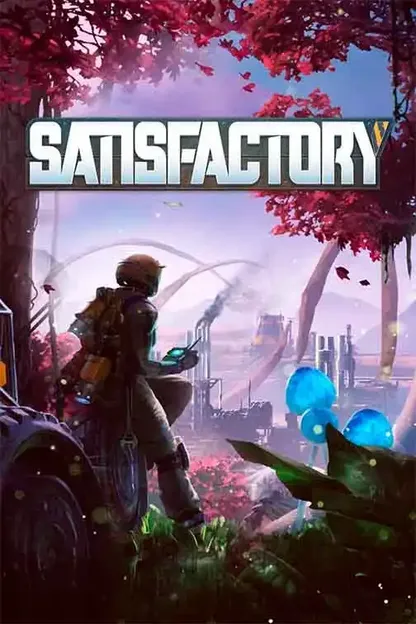
Illustration for How to Make a Satisfactory Server in 2026

How to Make a Satisfactory Server in 2026

Create a dedicated Satisfactory server in 2026, hosted or self-hosted, explained step by step.

Want to build your factory with friends 24/7 instead of relying on a hosted co-op session from someone's PC? Satisfactory's official Dedicated Server (added back in Update 8) lets you run a persistent world that stays online whether or not anyone is playing. This guide walks through both ways to set one up and how to configure it properly from the start.

The two ways to create a Satisfactory server

Before anything else, you need to pick your approach. For Satisfactory specifically, this choice matters more than for most games β€” the answer below explains why.

Option 1: host with a provider

You rent a Satisfactory server from a specialised gaming host. It runs around the clock on dedicated hardware, sized with enough RAM to handle your factory as it grows, and you configure everything from a web panel plus the in-game Server Manager. This is the recommended path for almost everyone.

Option 2: run the server on your own PC

You install the free Dedicated Server files via SteamCMD and run them at home. No monthly cost on the software side, but your PC has to stay on permanently, you forward ports on your own router, and β€” critically for this game β€” your factory's RAM appetite competes with everything else running on your machine.

Why RAM makes this decision easier than usual

Satisfactory is notoriously RAM-hungry: usage scales with how much you've built, not how many players are online. A late-game factory with trains, belts and hundreds of machines can eat well past 16 GB. Most home PCs weren't bought with that headroom to spare for a background server β€” a host that guarantees dedicated RAM sidesteps the problem entirely, and the price gap for 12-16 GB plans is small (often €12-20/month).

Creating a Satisfactory server on your own PC

If you want to self-host, here's the procedure.

1

Install SteamCMD

Download SteamCMD and extract it anywhere on your PC. It's a free command-line tool from Valve used to install dedicated server files that Steam doesn't distribute through the normal library.
2

Install the Dedicated Server files

The Satisfactory Dedicated Server has its own Steam App ID, 1690800 β€” separate from the game client (526870). Run the following in SteamCMD to install it anonymously into a folder of your choice:
login anonymous force_install_dir "C:\SatisfactoryServer" app_update 1690800 validate quit
3

Launch the server

Run FactoryServer.exe (Windows) or FactoryServer.sh (Linux) from the install folder. A console window opens; wait until it reports the server is ready and listening for connections.
4

Open the necessary ports

Set up port forwarding on your router for the Game Port, default 7777 (both UDP and TCP β€” the forwarded port must match the internal one, port translation isn't supported here) and the Reliable/Messaging Port, default 8888 (TCP). Older guides also mention separate Beacon and Query ports (15000 and 15777 UDP); those were retired once the server moved to the simplified 7777/8888 scheme, so you don't need them on a current install.
5

Add the server via Server Manager and share your IP

From Satisfactory's main menu, open Server Manager > Add Server and enter your public IP and port. Friends do the same with your IP. Remember that most home connections have a dynamic IP that can change on router restart.

The limits of a home server

Your PC needs to stay on and connected for the world to keep simulating β€” Satisfactory doesn't run when the host machine is off. Beyond that, your factory's RAM usage will keep climbing as you build, competing directly with whatever else you run on that PC. For anything beyond a short test, a host with guaranteed RAM heads off most of the pain.

Essential configuration via the Server Manager

Whether hosted or self-hosted, here's what actually gets configured where.

SettingWhere you configure itWhat it does
Session/server nameServer Manager β†’ server settingsName shown when you or friends add the server
Admin passwordServer Manager (set on first connect)Required to access full server settings and admin tools
Client passwordServer Manager β†’ server settingsPassword players need to join the session
Game PortServer Manager β†’ Add Server (IP:Port)Main connection port, default 7777, UDP + TCP
Reliable PortStartup flag / host panelSecondary messaging port, default 8888, TCP
Allocated RAMYour hosting plan, not the Server Manager itselfSized to your factory's scale β€” 16 GB is the comfortable reference for a long-running world

Basic settings (name, passwords, saves) are managed through the in-game Server Manager. Ports and RAM are set at the panel/hosting level, not inside the game.

Managing your Satisfactory server

Back up your saves

The Server Manager's **Manage Saves** tab lets you upload and download save files directly. On a host, you can also grab the save folder via the file manager or SFTP for a manual backup β€” do this before any major update or big build.

Update the server

Coffee Stain patches Satisfactory regularly, and server and clients must run matching versions or the connection is refused. On a host, updates are usually a one-click button in the panel. Self-hosted, re-run the SteamCMD `app_update 1690800 validate` command.

Be realistic about mods

There's no official mod loader built into the dedicated server the way some other games have one. Modding relies on community tools (Satisfactory Mod Manager and the Satisfactory Mod Loader), and every single client plus the server itself must run the exact same mod list and versions β€” one mismatch and people can't connect or the server crashes. It's more coordination than most modded servers require, so plan for a vanilla setup unless your whole group is committed to keeping mods in sync.

Ready to launch your Satisfactory server?

Take the 2-minute quiz to get a host matched to your factory's size, or compare every Satisfactory plan.

Frequently asked questions

How much RAM does a Satisfactory server need?
Coffee Stain's official minimum is 8 GB, but that assumes a small factory with few players. In practice, RAM use grows with how much you've built β€” belts, machines, trains β€” not with player count, so 16 GB is the comfortable reference for a persistent world that keeps growing. See our [Satisfactory server cost guide](/en/guides/satisfactory/satisfactory-server-cost) for exact plan pricing by RAM tier.
How much does a Satisfactory server cost?
Real plans on our comparison start around €12.88/month for 6 GB, with the 12-16 GB range most people actually need landing around €15-24/month. Full breakdown in the [cost guide](/en/guides/satisfactory/satisfactory-server-cost).
Why does Satisfactory need so much RAM compared to other survival games?
The server keeps every placed building, belt segment, vehicle and item in active memory to simulate the factory in real time. Unlike games where the world resets or streams in chunks, a Satisfactory save just keeps growing as you build, and so does the RAM it takes to run it β€” especially late-game with sprawling, multi-biome factories.
How many players can join a Satisfactory server?
There's no hard player cap enforced by the game itself, but performance is bound by a single primary simulation thread β€” a huge, heavily automated factory can bottleneck the server regardless of RAM or player count. Small, dedicated co-op groups (2-8 players) get the smoothest experience.
Which ports does a Satisfactory server use?
As of the current server build, you need the Game Port, default 7777 (UDP and TCP, and the forwarded port must match the internal one β€” no port translation), plus the Reliable/Messaging Port, default 8888 (TCP). Older setups used separate Beacon (15000 UDP) and Query (15777 UDP) ports; those were retired when the server moved to this simpler two-port scheme, so you can ignore them on a current install.
Can I add mods to a dedicated server?
Yes, via community tools like Satisfactory Mod Manager, but there's a strict catch: the server and every connecting client must have the exact same mods and versions installed, or connections fail or crash. It's a heavier commitment than modding most other games' servers, so weigh it against just staying vanilla.
Is the Satisfactory Dedicated Server free?
Yes, the Dedicated Server software itself is free and available via SteamCMD under its own App ID. What you pay for is either the cloud server from a host, or the electricity and wear on your own PC if you self-host.
Can I run the server on my PC and still play on the same machine?
Yes, the dedicated server runs as a separate process from the game client, so you can host and play from the same PC. Just remember both share your CPU and RAM, which adds extra pressure on top of an already RAM-heavy workload.
Our recommendation

Ready to launch your Satisfactory server?

Here are the best Satisfactory hosting deals right now, promo codes included. Still unsure? Our quiz finds the ideal host for you in under 2 minutes.

My box 12

Minestrator

17.99€/month
-10% with code HOSTMYGAME
Max players:4
Mods:
Yes

Specifications

RAM:12GB(DDR4)

Compatible games

Satisfactory

Features

  • βœ“DDoS Protection
  • βœ“Backups

Biomass Burner

Shockbyte

12.88€/month
-25% with code LAUNCH
Max players:4
Mods:
Yes

Specifications

RAM:6GB(DDR4)

Compatible games

Satisfactory

Features

  • βœ“Mod support
  • βœ“DDoS Protection
  • βœ“Auto Backups

Starter

Hosterfy

14.99€/month
Max players:Unlimited
Mods:
Yes

Specifications

RAM:12GB(DDR4)

Compatible games

Satisfactory

Features

  • βœ“DDoS Protection
  • βœ“100% FranΓ§ais
  • βœ“Slot illimitΓ©
How to Make a Satisfactory Server in 2026 | HostMyGame